
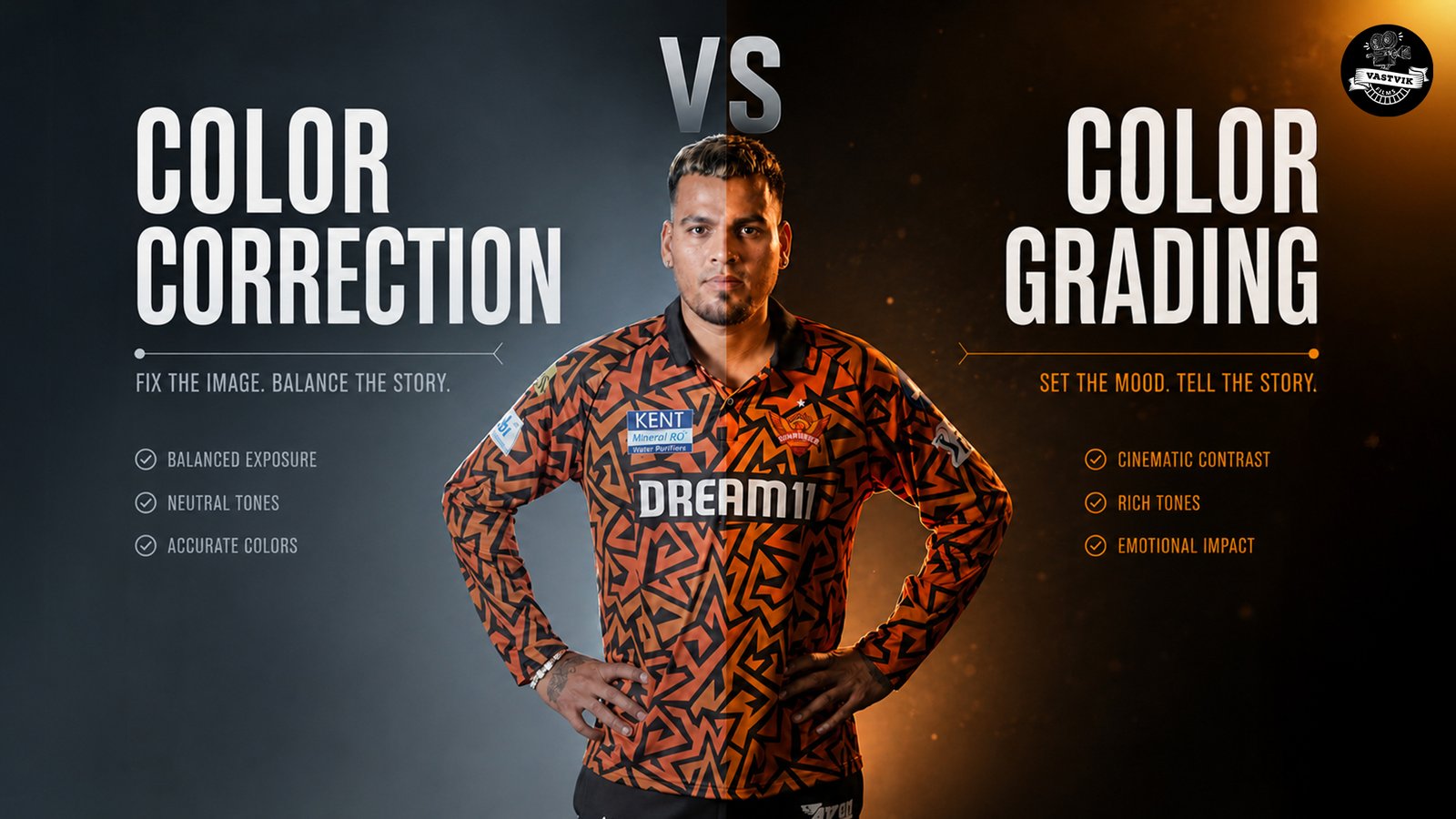
Color Grading vs Color Correction: What’s the Difference? A Complete Guide for Better Video Production
Have you ever watched a commercial, corporate film, or product video that instantly looked premium? While high-end cameras and lighting play an important role, the real transformation happens during post-production. This is where understanding Color Grading vs Color Correction becomes essential.
Many businesses assume these two terms mean the same thing, but they serve different purposes. One focuses on correcting technical issues, while the other enhances the overall visual style and emotion of a video. Whether you’re producing advertisements, promotional videos, training content, or social media campaigns, both processes are crucial for creating professional results.
At Vastvik Films, we follow a structured editing workflow to ensure every project delivers consistent colors, a polished finish, and a cinematic look that aligns with the client’s brand identity.
If you’re interested in learning more about modern editing workflows, check out our blog on Post Production Editing Trends in 2026 Every Marketer Should Know:
https://vastvikfilms.com/post-production-editing-trends-in-2026-every-marketer-should-know/
Why Post-Production Is Just as Important as the Shoot
Many brands spend a large portion of their budget on cameras, locations, and actors, but underestimate the importance of post-production. Even perfectly shot footage can look flat if it isn’t edited correctly.
Professional post-production helps to:
- ● Maintain consistent colors throughout the video
- ● Improve visual quality
- ● Create a premium brand image
- ● Increase viewer engagement
- ● Deliver a polished final product
This is why every successful video production house in Mumbai invests in skilled editors and colorists who understand how to enhance footage without making it look artificial.
What Is Color Correction?
Before adding any creative effects, editors first make sure every shot looks technically accurate. This process is known as Color Correction in Video Editing.
During color correction, editors adjust:
- ● White balance
- ● Exposure
- ● Contrast
- ● Brightness
- ● Saturation
- ● Highlights and shadows
- ● Skin tones
The goal is to make every scene look natural and consistent, especially when footage has been captured using different cameras or under changing lighting conditions.
For example, imagine filming a corporate interview where one camera records slightly warm tones while another records cooler colors. Without correction, the difference becomes noticeable. Proper correction ensures that both shots match seamlessly, creating a professional viewing experience.
What Is Color Grading?
Once the footage has been corrected, editors move to the creative stage color grading.
Color grading is the process of enhancing the mood and style of a video. Instead of fixing problems, it creates a visual identity that supports the story or brand message.
Different projects require different grading styles:
- ● Warm tones for lifestyle and travel videos
- ● High-contrast looks for luxury advertisements
- ● Soft, natural colors for healthcare and corporate films
- ● Vibrant colors for food and fashion brands
This is the stage that gives commercials, films, and branded content their distinctive cinematic appearance.
Color Grading vs Color Correction: The Key Difference
Understanding Color Grading vs Color Correction is simple when you think of it in two stages.
Color correction prepares the footage by fixing technical issues.
Color grading enhances the footage by creating a specific mood or style.
| Color Correction | Color Grading |
| Corrects exposure and colors | Adds creative visual style |
| Makes footage look natural | Makes footage look cinematic |
| Removes inconsistencies | Creates emotional impact |
| Technical process | Creative process |
| Done first | Done after correction |
Both processes work together. Skipping color correction can make even the best grading look unnatural, while skipping grading can leave the video looking flat and uninspiring.
Why Businesses Should Care
Video quality directly affects how customers perceive your brand. Poorly balanced colors, inconsistent lighting, or unnatural skin tones can reduce the credibility of even the best marketing campaign.
Professional post-production helps businesses:
- ● Build trust with their audience
- ● Improve brand consistency
- ● Highlight products accurately
- ● Create visually engaging marketing content
- ● Increase watch time on digital platforms
Whether you’re producing promotional videos or investing in corporate video production Mumbai, proper color finishing helps your content stand out in a crowded market.
Why Professionals Always Correct Before They Grade
A common mistake among beginners is applying cinematic LUTs or filters before correcting the footage. This often results in oversaturated colors, crushed shadows, and unrealistic skin tones.
Professional editors follow a simple workflow:
- ● Organize footage
- ● Balance exposure
- ● Correct white balance
- ● Match colors across all clips
- ● Perform Color Correction in Video Editing
- ● Apply creative color grading
- ● Export the final video
Following this process ensures every frame looks clean before any artistic adjustments are added.
Real-World Example
Imagine you’re creating a product advertisement for a luxury watch.
The outdoor shots were filmed during sunrise, while the indoor product shots were captured under studio lights. Naturally, the colors won’t match.
The first step is correcting both sets of footage so they share the same brightness, white balance, and overall consistency. Once everything looks natural, the editor adds a premium cinematic grade that enhances the metallic finish of the watch without changing its true color.
This combination of correction and grading creates a polished advertisement that feels professional and trustworthy.
Common Color Grading Mistakes Businesses Make
Many businesses believe that adding a filter or downloading a LUT is enough to achieve a cinematic look. While these tools can save time, they cannot replace professional editing. Every project has different lighting conditions, camera settings, and brand requirements, which means a single preset rarely works perfectly.
Some of the most common mistakes include:
- ● Applying LUTs before correcting the footage
- ● Oversaturating colors
- ● Making skin tones look unnatural
- ● Using excessive contrast
- ● Ignoring brand colors
- ● Exporting videos without checking different screens
A professional editor adjusts every shot individually instead of relying on one-click effects. This is why videos produced by an experienced ad film production house in Mumbai look far more refined than videos edited with basic presets.
Can AI Replace Professional Color Grading?
AI-powered editing tools have made video editing faster by automating basic corrections. They can balance exposure, suggest color adjustments, and even apply cinematic looks in seconds.
However, AI cannot fully understand the emotional intent of a story or the visual identity of a brand.
For example, a healthcare campaign requires soft, trustworthy colors, while a sports commercial needs bold and energetic visuals. These creative decisions still depend on the experience of professional editors.
AI is a helpful assistant, but it cannot replace the creative judgment behind professional Color Grading vs Color Correction.
Which Industries Benefit the Most?
Professional color finishing is valuable across almost every industry because it improves both visual quality and audience perception.
Corporate Businesses
Professional color grading creates a polished image that strengthens presentations, company profiles, and promotional videos. This is one reason why businesses invest in corporate video production Mumbai for brand communication.
Education
An e learning video production company uses balanced colors and natural visuals to make educational videos easier to watch for long periods. Clear visuals help learners stay focused and improve the overall learning experience.
Advertising
Every successful advertisement relies on strong visuals. Whether it’s a product launch or a television commercial, professional color finishing helps communicate quality and trust. This is why every leading ad film production house in Mumbai treats color grading as an essential part of post-production.
Animation
Colors are equally important in animated content. A professional animated explainer video agency carefully selects color palettes that match a brand’s identity and improve audience engagement. Likewise, a 2d animation explainer video company uses consistent colors to make characters, graphics, and illustrations feel more polished and memorable.
Professional Software Used by Editors
High-quality results require professional tools. Some of the most widely used software includes:
- ● DaVinci Resolve
- ● Adobe Premiere Pro
- ● Final Cut Pro
- ● Adobe After Effects
Among these, DaVinci Resolve is considered the industry standard for advanced color grading because of its precision and flexibility.
Why Professional Video Production Makes the Difference
Great videos don’t happen by chance. They follow a structured production and post-production process.
At Vastvik Films, every project goes through:
- ● Professional planning
- ● High-quality filming
- ● Detailed video editing
- ● Accurate color correction
- ● Creative color grading
- ● Audio enhancement
- ● Final quality checks
This workflow ensures that every corporate film, commercial, product video, or promotional campaign reflects the highest production standards.
If you’re looking for professional video production, explore our complete range of services:
https://vastvikfilms.com/services/
Frequently Asked Questions
● Is color correction necessary before color grading?
Yes. Color correction ensures the footage is technically accurate before creative grading begins. Skipping this step often leads to inconsistent and unrealistic results.
● What is the biggest difference between color grading and color correction?
Color correction fixes technical issues like exposure and white balance, while color grading enhances the visual style and mood of the video.
● Can I use LUTs instead of color grading?
LUTs can provide a starting point, but they cannot replace manual adjustments. Every project has unique lighting conditions, so professional grading is still required for the best results.
● Which software is best for color grading?
DaVinci Resolve is one of the most popular tools for professional color grading, although Adobe Premiere Pro and Final Cut Pro are also widely used.
Conclusion
Understanding Color Grading vs Color Correction is essential for businesses that want to create high-quality videos. While color correction ensures technical accuracy, color grading transforms ordinary footage into visually engaging content that captures attention and builds trust.
Whether you’re creating a corporate film, advertisement, product showcase, or educational video, investing in professional post-production can significantly improve the final result. A skilled team knows how to balance colors, maintain brand consistency, and create visuals that leave a lasting impression on your audience.